01
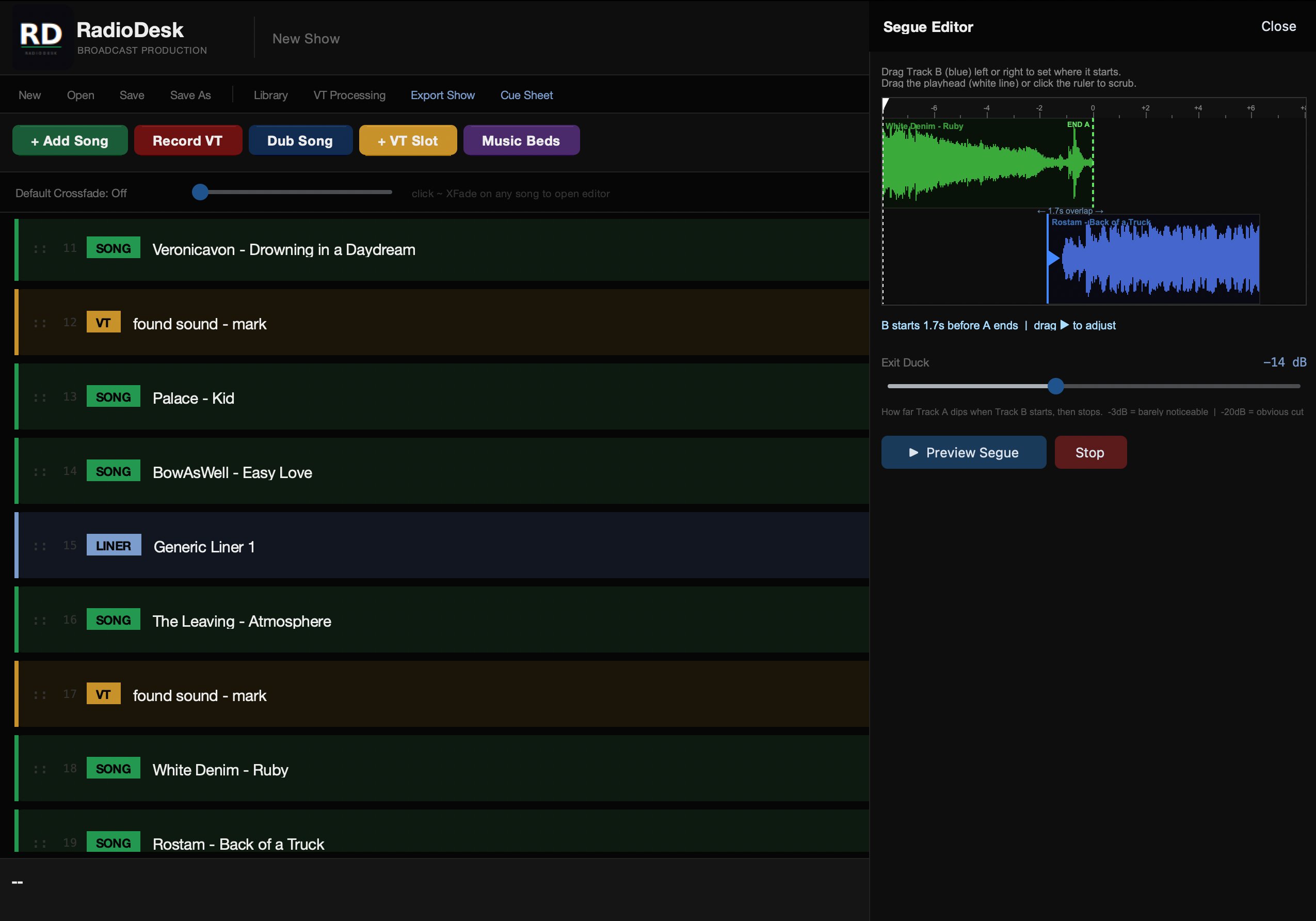
DAW-Style Crossfade & Segue Editor
Set in and out points visually, control duck depth, and preview transitions before your show. The same smooth handoff as a professional broadcast console.
RadioDesk is professional broadcast production software for Mac. It gives radio hosts and DJs a DAW-style crossfade editor, waveform display, multi-track audio management, and cue sheet export — for a one-time price of $39, no subscription required.
Every feature in RadioDesk exists because a working radio host needed it. No bloat, no learning curve — just the tools that matter.
Set in and out points visually, control duck depth, and preview transitions before your show. The same smooth handoff as a professional broadcast console.
See your audio, not just hear it. Visual waveform display so you always know exactly where you are in a track. Click to scrub to any point.
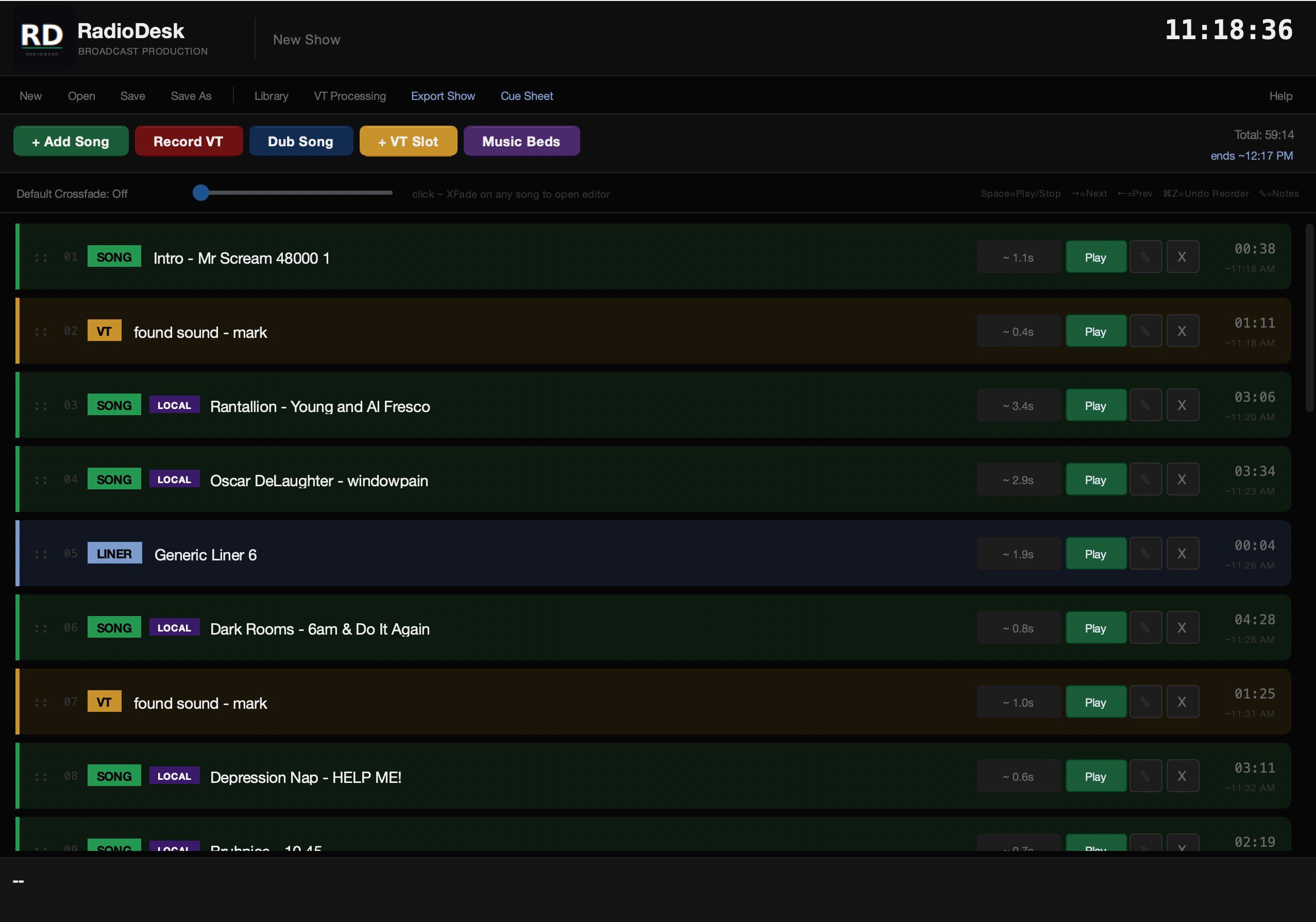
Cue, organize, and fire tracks without the chaos. Drag to reorder, search by title or artist, and keep your show tight from start to finish.
Generate a broadcast-standard CSV log with offset timestamps, media type, title, artist, album, and year. Most logging systems import this format directly.
Flag and track local music in your rotation. Built for hosts who take community programming seriously and need to report local content accurately.
One-time purchase. No account required, no cloud dependency, no monthly fee. RadioDesk lives on your machine and works offline, always.
Your entire catalog, always at hand. Browse, search, and add tracks directly from a folder you choose — no importing, no duplicating files.
Set up broadcast standard rotations. Assign any track to Fresh Finds, Currents, Heavy Currents, Recent Favorites, Found Gold, Deep Cuts, or Local — and filter your library instantly by category.
Point RadioDesk at your catalog and it assigns categories based on when each track was added. Set your own thresholds. As songs age, RadioDesk moves them automatically — Fresh Finds become Currents, Currents become Recent Favorites, without you lifting a finger.
Keep a folder of station IDs, promos, or bumpers. Drop a Liner Rotator into your playlist and RadioDesk pulls one at random. Hit re-roll to swap it out before you export.
Build a show format and let RadioDesk fill it. Add a Category Slot and it picks a song from that rotation automatically. Re-roll any slot with one click.
Every song tracks how many times it's been added to a show. Sort your library by play count to see what's getting heavy rotation — and what's been sitting on the shelf.
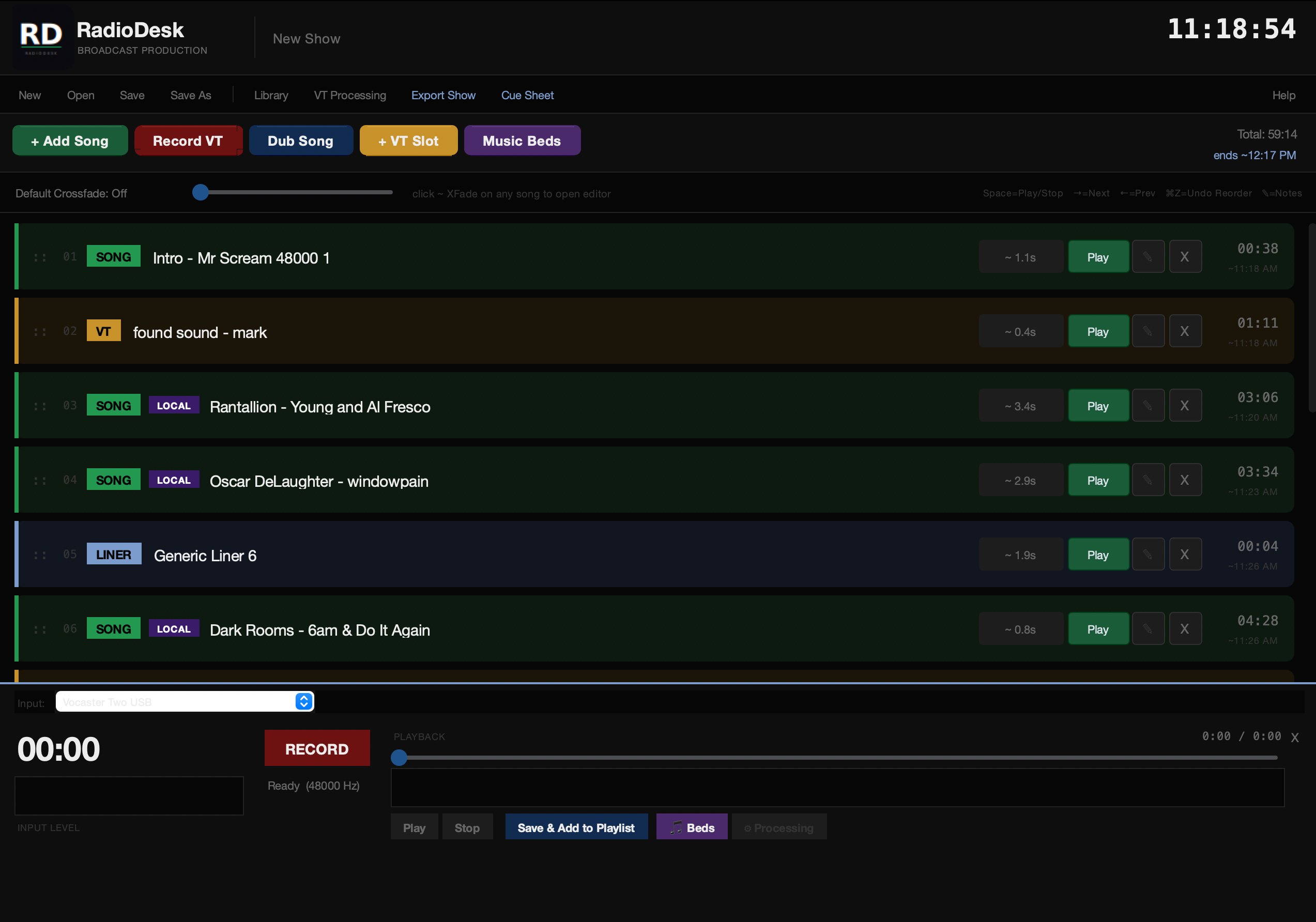
A professional broadcast environment that gets out of your way and lets you focus on the show.
RadioDesk was built by a working radio host with over 20 years behind the mic — someone who has run specialty shows, managed playlists live on air, and needed broadcast software that actually matched how working hosts run a show.
The tools that existed were either overkill for independent hosts or built for a different era of radio. RadioDesk is the software we wanted to use — and now it's available to everyone doing the same work.
Questions? [email protected]
New features, release notes, and occasional dispatches from a working broadcaster. No spam.